
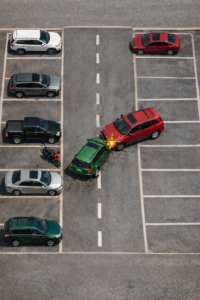
 Just last week, somebody came to me and asked, “How do you draw a car accident report?” Then today, my sister asked me almost the same thing. She wanted to know how to sketch a road traffic accident, and if there is some kind of accident reconstruction tool she could use.
It looks like a lot of people are getting into car crashes these days, and they need to find car accident diagram templates to help them document what happened.
What about you? Have you ever been in a car accident before? Or maybe you forgot to keep up with your vehicle maintenance, and something went wrong because of that?
When it happens, your friends and family always want to know the details. They ask you about it, and you try your best to explain how everything happened. But honestly, it is really difficult to describe a car accident just with words. You are trying to say which direction you were going, where the other car came from, where exactly the impact was, and people still look confused.
That is where a car accident diagram is so helpful. It shows everything clearly in one picture.
Now, showing a diagram to your friends and family is maybe not the most important thing. But when you need to talk to the insurance company and make a claim, that is when a clear diagram becomes very useful. It helps them understand exactly what happened, and it can make the whole process go much smoother.
A car accident diagram is also really helpful if you need to make a police report. The officers can look at it and quickly see the full picture of the accident, instead of trying to follow a long spoken explanation.
When I had a car accident a few years back, I remember that the police officer asked me a few details on how the accident occurred while he sketched/drew the event on a piece of paper for record purposes.
There’s nothing wrong with drawing on paper, but if we want to be precise, consistent and professional, we can make use of a car accident diagram tool to help depict the event.
Why Visual Accident Reconstructions Are So Important
When lawyers and insurance companies look at traffic accident claims, they depend very much on visual evidence.
A good accident reconstruction graphic can greatly improve your chances of winning a claim.
Some trial lawyers say they have about a 90% success rate in cases where a clear diagram is included, because it helps judges and juries understand the facts much more quickly.
A well-made sketch shows where the vehicles were, what the road looked like, and what traffic controls were present.
It also helps to support what witnesses said, identify things that contributed to the accident (for example, speed, distracted driving, or bad road conditions), and work out who was at fault.
Accident Reconstruction Software: What Is Available?
Before I introduce our new tool, I think it is helpful to look at what existing collision diagram software can do and what features people usually want.
Commercial accident reconstruction programs like SmartDraw and Virtual CRASH show us that modern solutions combine easy drag-and-drop drawing with physics-based simulation:
SmartDraw accident reconstruction templates: SmartDraw gives you templates with symbols for roads, intersections, vehicles, signs, lane markings, and many other things. You start by picking a template, then you drag road types and traffic controls onto the scene, add the vehicles, and draw the travel paths. They recommend starting with a satellite image of where the accident happened so you can build a diagram based on real facts.
Virtual CRASH: This is professional-level software that lets investigators build environments, simulate how vehicles move and crash, and create animations. People use it in court cases to show how different speeds or braking would have changed what happened in the crash.
MyDraw: MyDraw’s accident reconstruction templates focus on the scientific side of reconstruction. They explain that engineers use physics, vehicle dynamics, photogrammetry, and computer tools to figure out what caused a collision. Their documentation mentions that vehicle inspection, traffic collision reports, witness statements, and medical records are all important sources of evidence. MyDraw also has templates you can customise and some automation for diagrams, but you need to pay for a licence to use it.
What these platforms show us is that a good accident reconstruction tool should have a big library of symbols, drawing tools that are easy to use, the ability to record important details (like the date, location, vehicles involved, witness names, and a description of what happened), and options to save or export your diagrams. The problem is that many of these solutions are either quite expensive or too complicated for ordinary drivers who just need to document a minor collision.
Our Free Alternative: The Accident Sketch and Report Tool
Because we want our readers to have a free option, we built an Accident Sketch and Report Tool that is hosted right here on SoftwareForEnterprise.us.
It works in your browser, so you do not need to download anything. You can create a collision diagram and then export it as a report or an image. Here is what the tool includes:
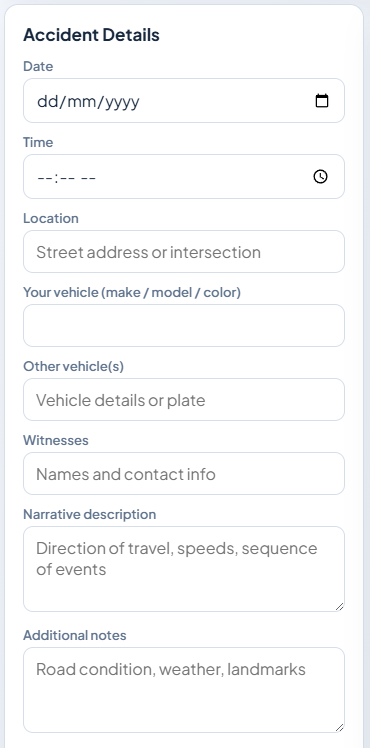
Accident details form – There are fields where you enter the date, time, location, vehicles involved, witness names, a description of what happened, and any extra notes. Having all of these details means your report will contain everything that insurance adjusters and police officers need.
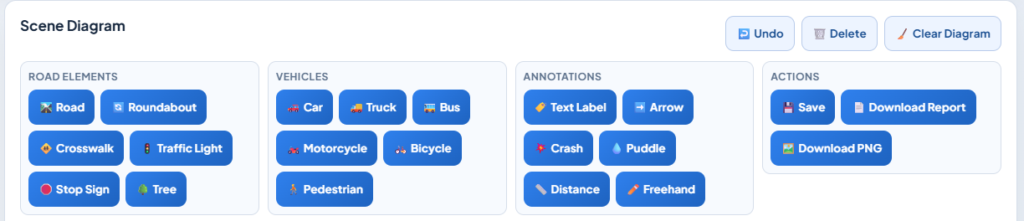
Scene diagram canvas – You drag and drop road elements (like roads, roundabouts, crosswalks, traffic lights, stop signs, and trees) and vehicle icons (cars, trucks, buses, motorcycles, bicycles, and pedestrians) onto the drawing area. You can also add things like text labels, arrows that show which direction vehicles were travelling, crash markers, puddles, and freehand drawings.
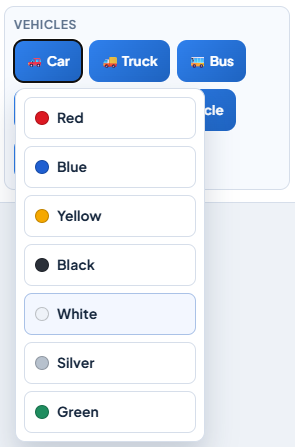
Colour selection – You can give each vehicle a colour that matches how it looks in real life. This makes the diagram much easier for other people to read and understand.
Save and export – You click Save to store your diagram on your computer, and then you can generate a report or a PNG image that you can download. This is very useful because you can send the sketch digitally to your insurance company or attach it to a police report.

Guidance for accuracy – The tool reminds you to label all the vehicles, mark which direction they were going, show where the impact happened, and note any roads or landmarks nearby. It also says that the positions of the vehicles before and after the collision should be clear, even if your drawing is not perfectly to scale.
How to Use the Accident Sketch and Report Tool
1. Record the accident details – Fill in the date, time, and location. Add contact information for all the drivers and any witnesses. Write a description of how the crash happened, and include things like speed, what the traffic signals were doing, and what the road conditions were like.
2. Sketch the scene – Pick the right type of road (a straight road, a roundabout, a crosswalk) and drag it onto the canvas. Then add traffic lights, stop signs, and any other landmarks that are important. Use arrows to show the paths the vehicles took, and put crash markers where the impact happened.
3. Add the vehicles – Choose icons that look like your vehicle and the other vehicles that were involved. Select colours to match the real vehicles. Put them on the road to show where they were before the collision and where they ended up after it.
4. Annotate and label everything – Use text labels to identify each vehicle (for example, “Car A” and “Car B”). Add notes about speed or direction, and mark any measurements that matter, like distances between things or how wide the lanes are. Good labels make it much easier for investigators to understand the order of events.
5. Save and export your report – When your diagram is finished, save it and download the report as a PDF or PNG image. Make sure you keep a copy for yourself, and then share it with your insurance company or your lawyer.
Free car crash simulation web-based tool
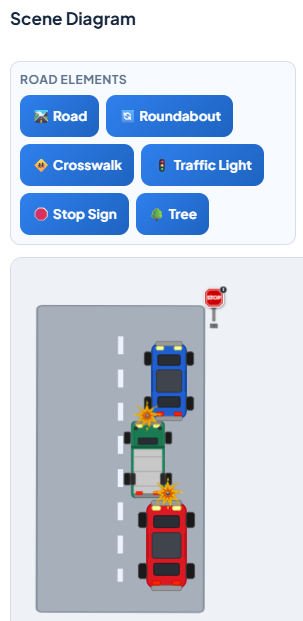
As shown above, I drew a simple sketch of my recent car accident. My green car was rear-ended by a red van, and the impact pushed my car into the vehicle in front of me.
On the top pane, you can select the street, vehicles, traffic signs, and drawing tools such as arrows.
On the bottom pane is your drawing area where you just need to click and drop the various images from the top to the bottom of the drawing area.
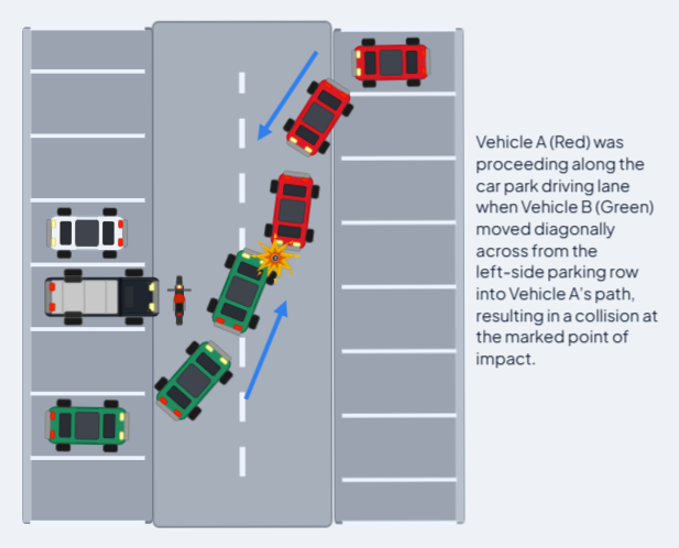 The image on the left is another sample of an accident sketch. It’s obvious that the green car and the orange car collided in a car park.
There are many ways in which this road diagramming online tool can be utilized.
Driving schools can also use this online tool to sketch some car driving instructions for their students to look through before they actually get behind the wheel.
To begin sketching a vehicle accident, Launch the Accident Sketch Tool now! It”s free and requires no registration.





As car insurance companies advise their clients never to admit liability in an accident, it is often the case that responsibility is denied in car accident claims for compensation.