
Starting a business website doesn’t necessarily mean you need to replace the tools you’re already using.
Let’s take Bob as an example.
Bob runs a small cafe selling whole cakes for birthdays, celebrations and other special occasions. For more than a year, he’s been using Jotform to collect cake orders from his regular customers.
His customers are already familiar with the ordering form. They can choose their cake, specify the size, select a pickup date and provide their contact details.
Everything works fine, until one day his customers start asking whether he has a website where they can browse his cakes.
Bob thinks it’s a good idea, but there’s one problem. He has no experience building websites, and he doesn’t want to change the ordering process that his customers are already used to.
Fortunately, he doesn’t have to.
Watch How Bob Brings His Cake Business Online

In this video, we follow Bob as he creates a website using Wix while keeping his existing Jotform cake ordering form.
The video also includes a practical demonstration of adding Jotform to a Wix website.
Why Keep the Existing Jotform?
Wix comes with its own form builder, which is useful for contact forms, inquiries and other common website requirements.
However, if your business is already using Jotform to collect orders or customer information, there may not be a good reason to rebuild everything from scratch.
For Bob, keeping his existing form means:
- His regular customers can continue using a familiar ordering process.
- He doesn’t have to recreate all the cake ordering fields.
- Orders can continue going into his existing Jotform account.
- He can focus on setting up his new website rather than replacing something that already works.
This is where the Jotform and Wix integration comes in handy.
How to Add Your Existing Jotform to Wix
Wix allows users to add Jotform through its App Market. This makes it possible to display an existing form on a Wix website without having to develop a new ordering system.
Here’s a general overview of the process:
- Open your website in the Wix Editor.
- Go to the Wix App Market and search for Jotform.
- Install the official Jotform app.
- Connect your existing Jotform account.
- Select the form you want to use.
- Position and resize the form on your website.
- Publish the website and test a submission.
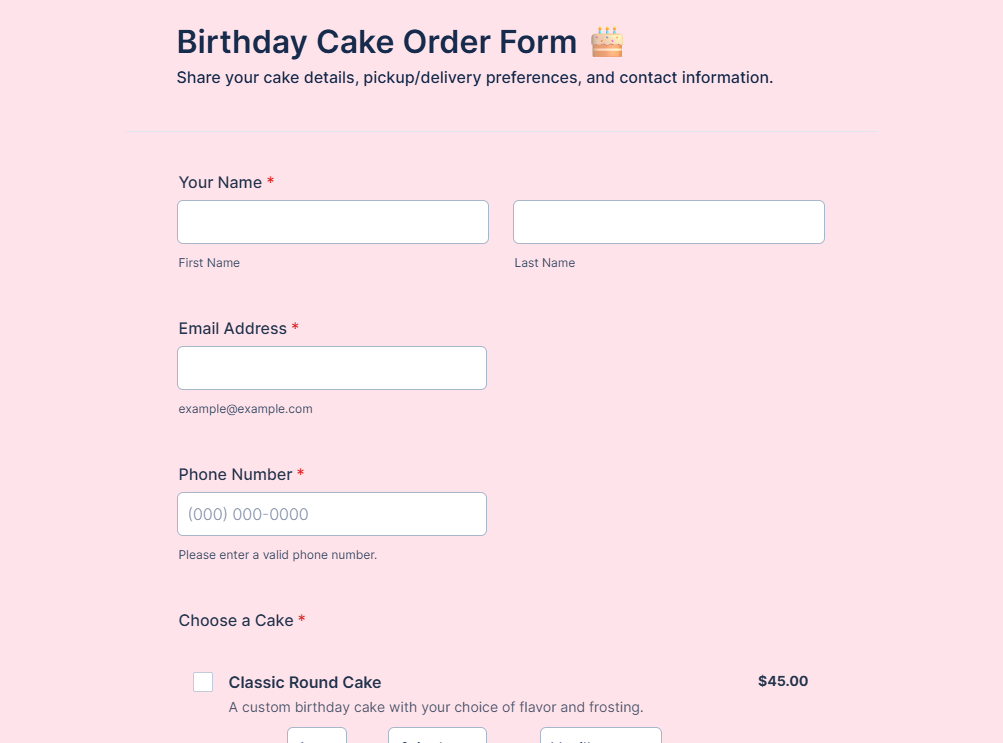
In Bob’s case, we select his existing cake ordering form and place it on the ordering page of his new website.
Once published, customers can browse Bob’s cakes and submit their orders through the familiar form.
It’s important to test the published form to make sure the submissions are correctly received in Jotform.
Is Jotform Necessary if Wix Already Has Forms?
Not necessarily.
If you’re creating a new website and only need a simple contact form, Wix Forms may already be sufficient.
But if you have existing forms in Jotform, especially forms with custom fields, conditional logic or established workflows, keeping them can save time and avoid unnecessary changes.
Jotform also offers a range of form templates, integrations and submission management features that may be useful as your business grows.
The best solution depends on what your business needs.
Final Thoughts
Building a website should help your business grow, not force you to abandon tools that are already working.
For Bob, Wix provides the website where customers can explore his cake offerings, while Jotform continues handling his cake orders.
This approach isn’t limited to cake businesses. It can also be useful for service bookings, event registrations, customer inquiries and other businesses that already rely on online forms.
If you’re planning to create a Wix website and already have forms in Jotform, it’s worth exploring how both platforms can work together.
Disclosure: This article accompanies content created for a Jotform creator campaign. I may receive a campaign bonus for approved content and earn commissions through affiliate links. #JotformPartner






Leave a Comment